
UPDATED July 24, 2024
Disney Genie launched in Disney World back in October of 2021, and it has definitely brought some big changes to the parks!
©Disney
The service, which is offered through the My Disney Experience app, helps guests plan their days at Disney World in a way that hasn’t been possible through the app before. It also offers a paid service that has replaced the former free FastPass+ system — Disney Genie+. We’re here to tell you exactly how to purchase Genie+ from your phone in the easiest way possible!
IMPORTANT UPDATE: MAJOR Changes have come to the Lightning Lane Systems in Disney World as of July 24th, 2024. The previous Disney Genie+ Service is now Lightning Lane Multi Pass. You can find information on the NEW Lightning Lane systems in Disney World HERE.

Genie+ is now Lightning Lane Multi Pass
As of July 24, 2024, Genie+ has gone away and a new skip-the-line program is available: Lightning Lane Multi Pass! Lightning Lane Multi Pass includes many of the same features as Genie+ with the bonus ability to buy and schedule Lightning Lanes before your trip! Get all the details on how to maximize Lightning Lane Multi Pass!
Learn More About Lightning Lane Multi PassEDITOR’S UPDATE: The remainder of this post covers the previous Genie+ system, which was in effect through July 23rd, 2024. Click HERE to learn everything you need to know about the current Disney Lightning Lane systems.
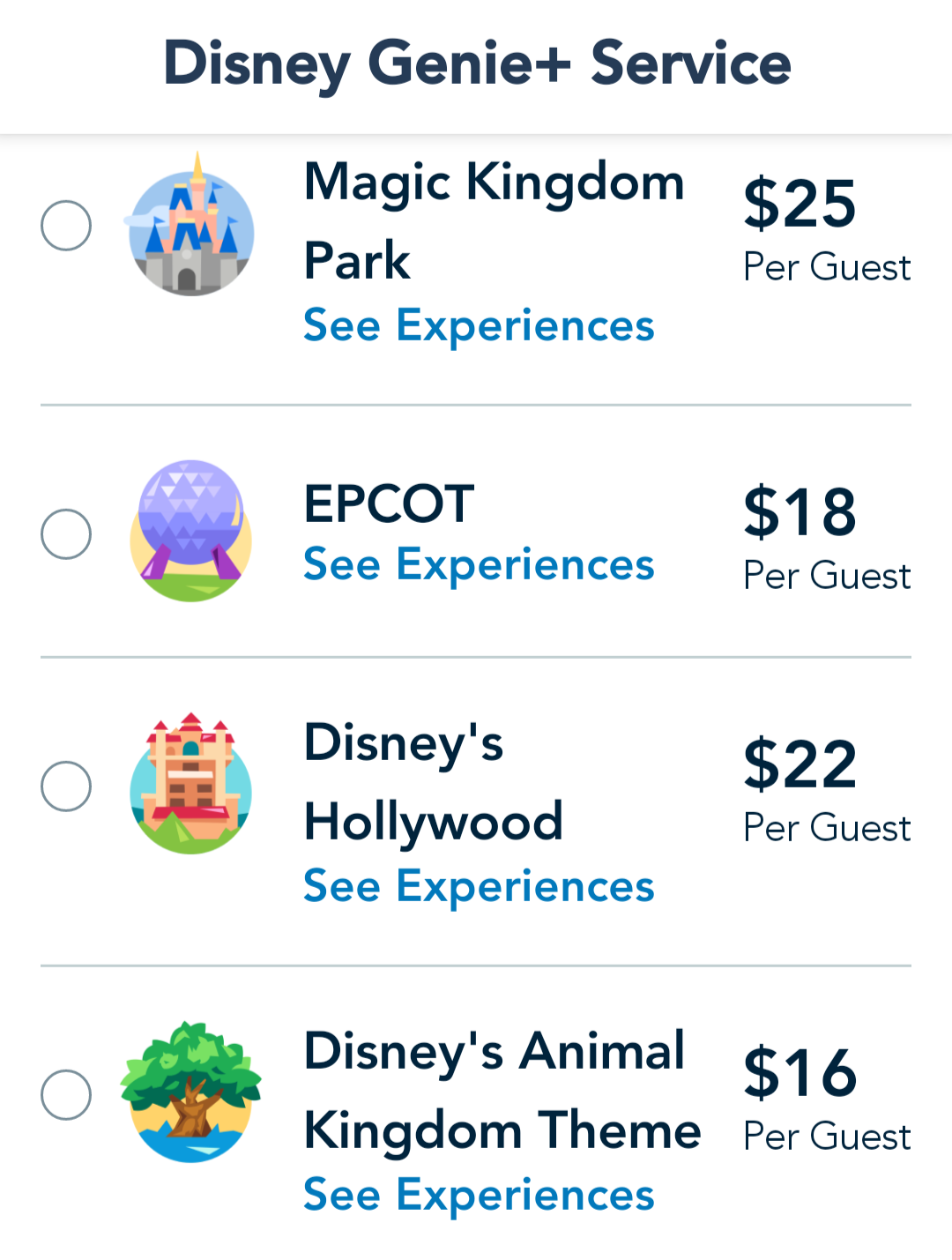
Guests who purchase Disney Genie+ will have the opportunity to book a return time to skip the standby line and go through a ride’s Lightning Lane (a.k.a. the FastPass+ lane) at select rides throughout the four theme parks. The service starts at $15 per day*, per person. But how exactly do you buy it?
©Disney
**In October 2022, Disney introduced variable date-based pricing for Genie+ with the price starting at $15 per guest, per day. Guests are able to check the price for the day on the My Disney Experience app prior to purchasing for the day.

Buying Genie+
If you want to buy Genie+ for a single day, you can purchase it on the day of your visit beginning at midnight.
Step 1: Update Your My Disney Experience App
The first thing you’ll want to do is update your My Disney Experience app in order to access Genie and its related services.
If the update doesn’t automatically get prompted to you, be sure to visit your mobile device’s app store, select the My Disney Experience app, and download the update from there.
Step 2: Log Into My Disney Experience
Next, you’ll want to log into your My Disney Experience account in the app.
Step 3: From the home screen, you’ll see the Disney Genie+ Service info
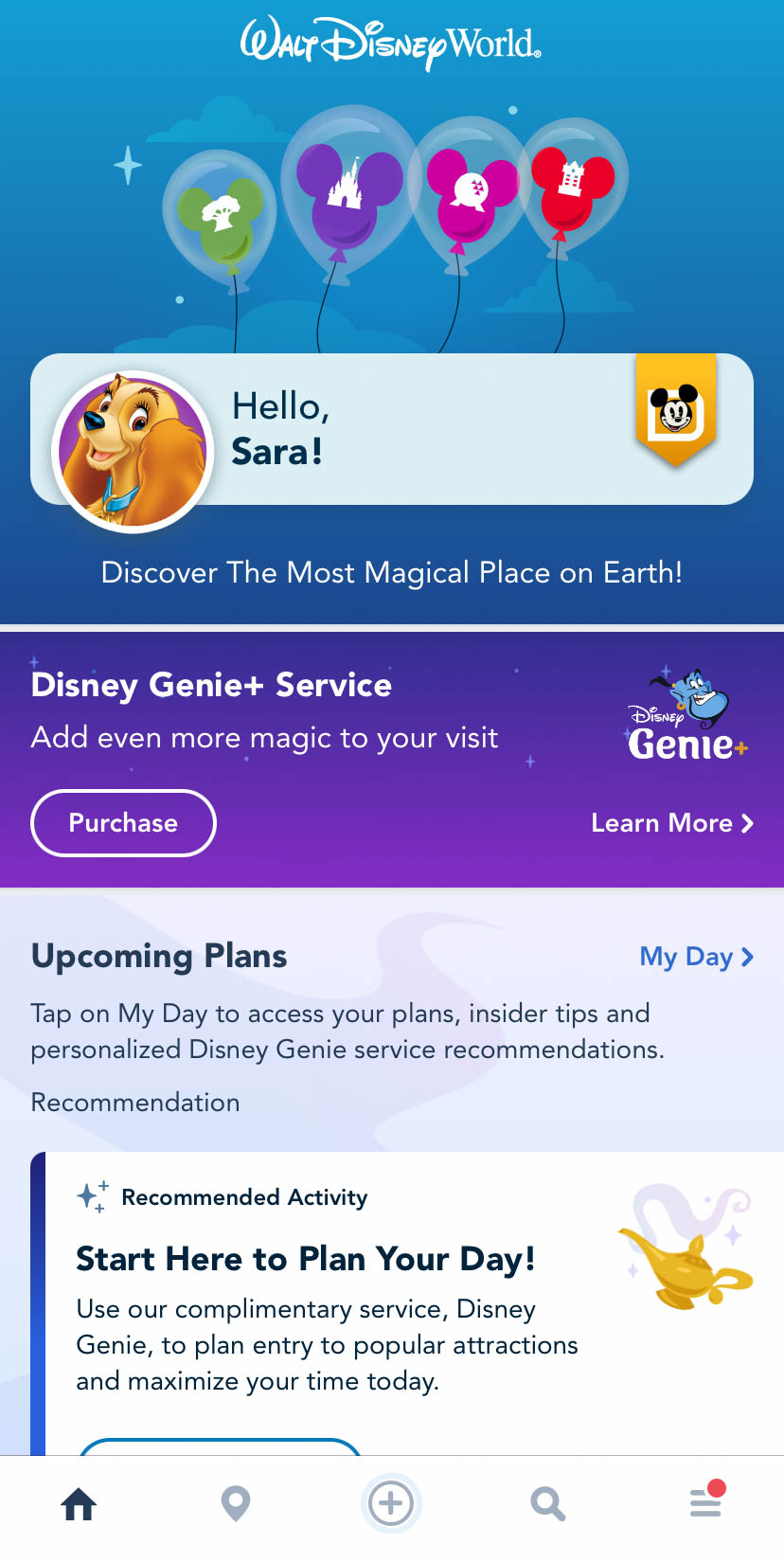
Click on Purchase
Then, click on purchase.
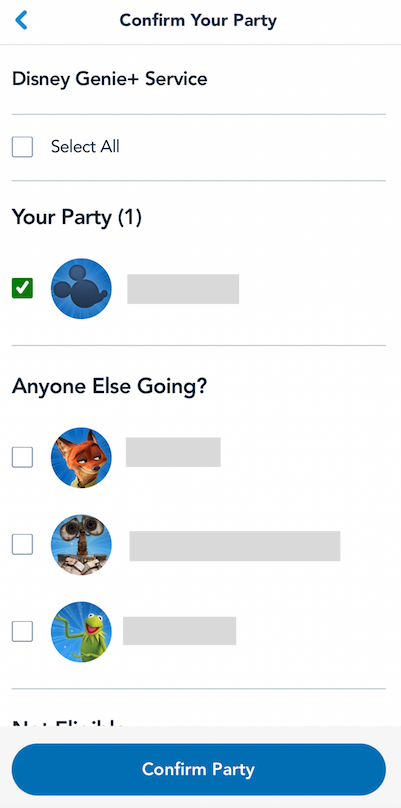
Step 5: Select the Members of Your Party You Want to Include
Next, it’s time to confirm your party. You can select who you want to purchase Genie+ for.
©Disney
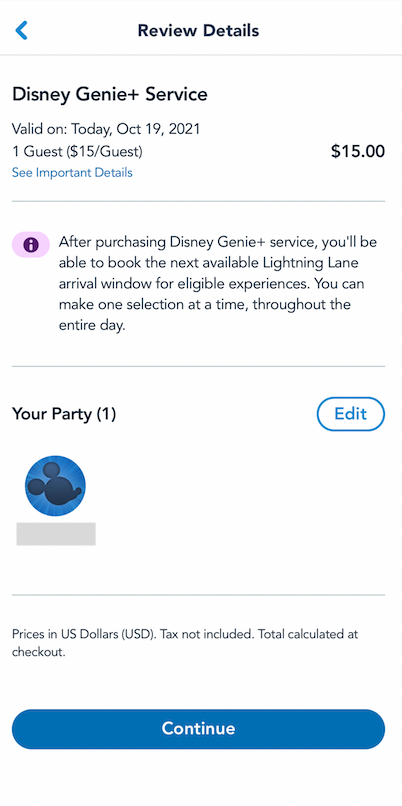
Step 6: Review Details
After that, you’ll review the details about the purchase and make any edits you need to.
©Disney
Step 7: Confirm All of Your Information and Pay
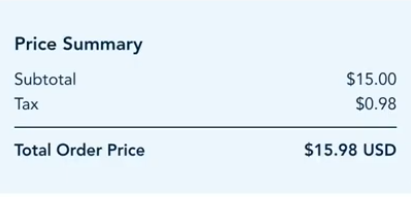
Then, it’s time to confirm your information, contact info, etc…

©Disney
…and pay. The total will vary based on date-based pricing.
©Disney
At the moment, it appears Disney is accepting Disney Gift Cards, Rewards Redemption Cards, and Credit/Debit Cards.
Step 9: Confirm Your Purchase
Finally, you’ll get an order confirmation screen with information about your order and you’ll be able to hit “continue” to see more information.

©Disney
This is the only way to purchase Genie+. So if you’re looking to skip those standby lines and get on rides faster, now you know how!
Booking a Genie+ Lightning Lane
After you’ve purchased Genie+, you can book a Genie+ Lightning Lane. Regardless of what time you purchase Genie+, you can’t book your first Lightning Lane until 7AM.
When you’re ready, you can head to the Tip Board section.
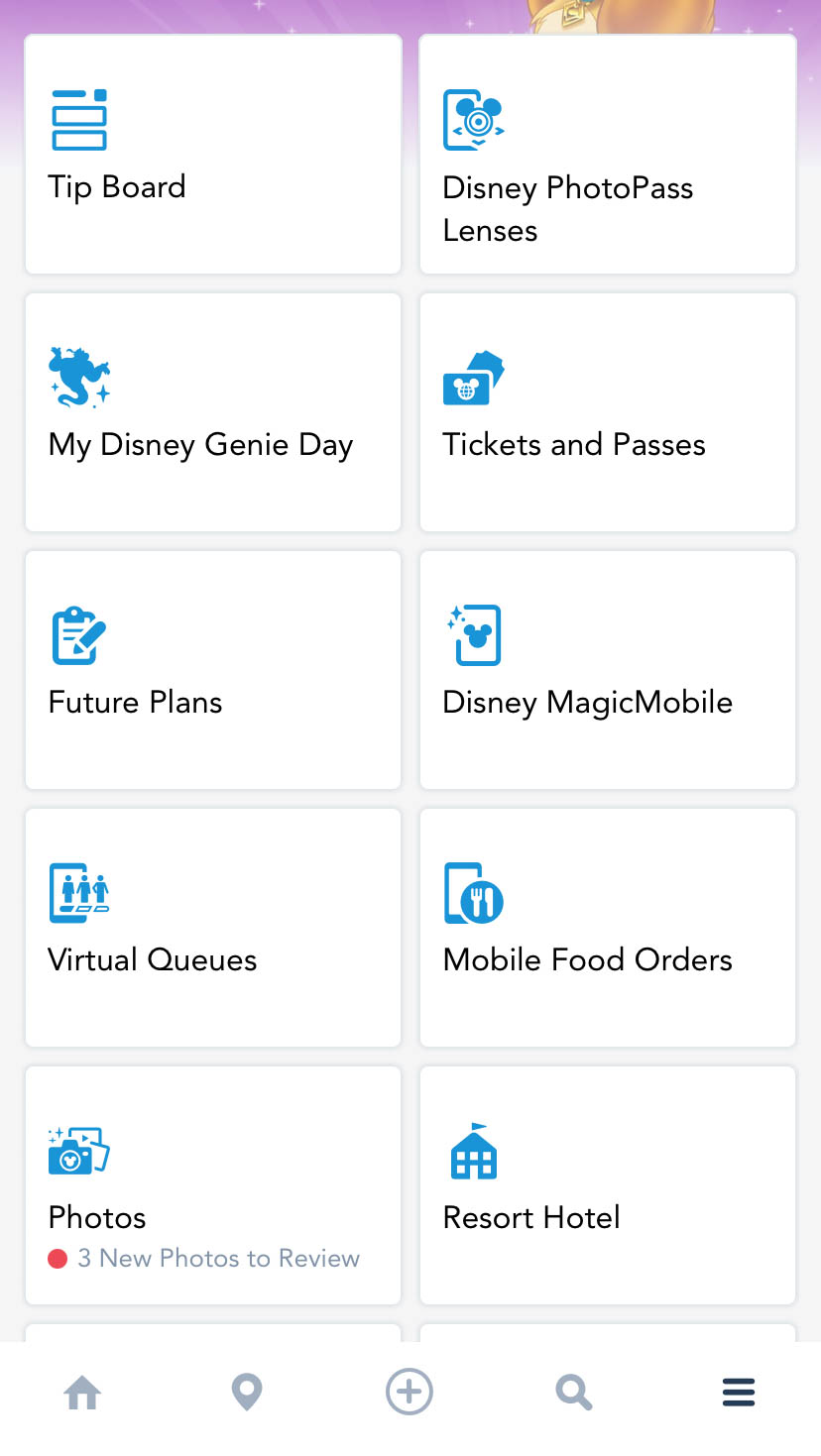
My Disney Genie Day
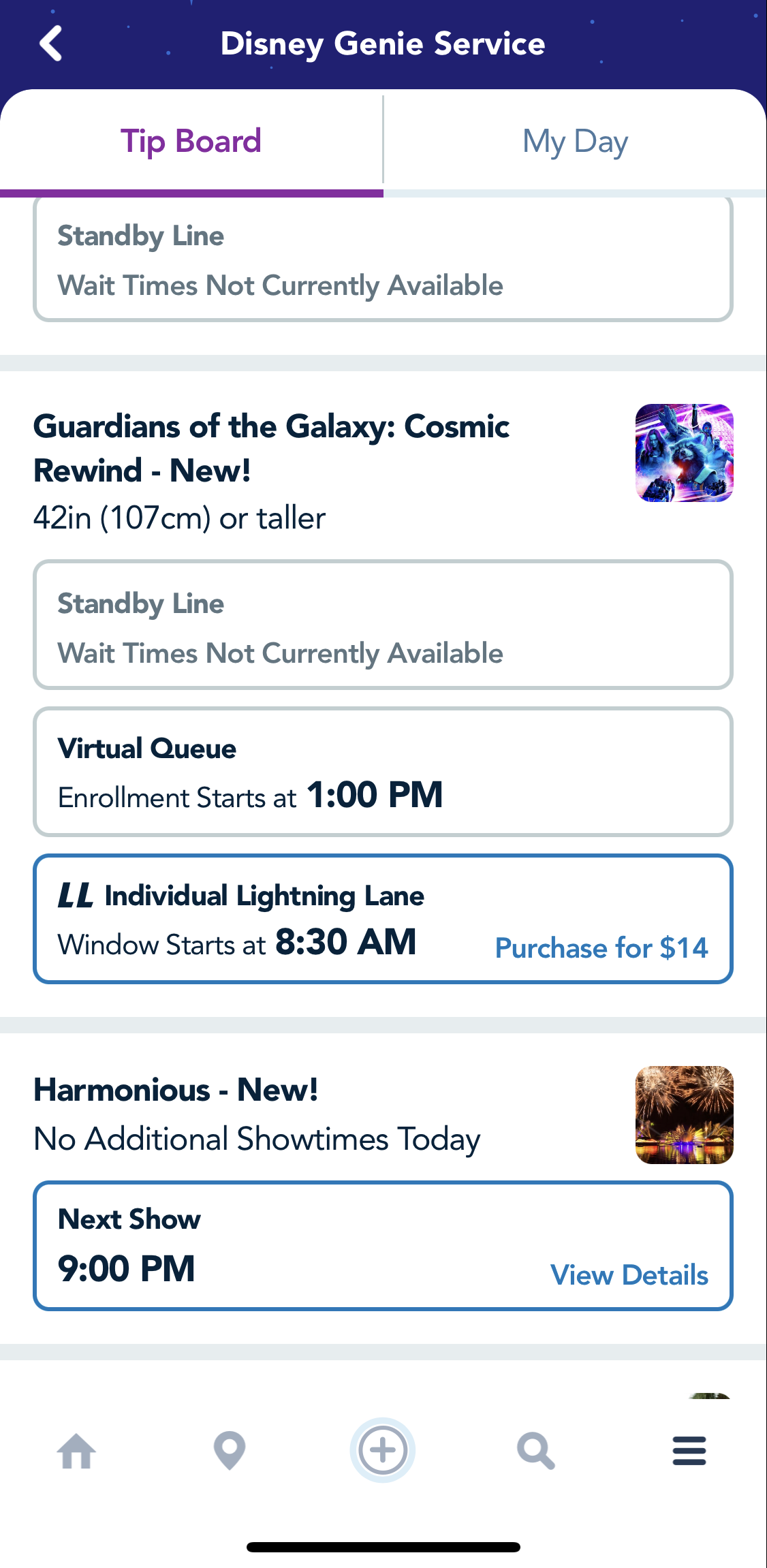
There, you’ll see a Tip Board showing available selections for the parks. You can tap “change park” to see the park you’ll be heading to. Starting at 7AM, you’ll want to refresh the screen so you can see what Genie+ Lightning Lanes are available.
When you’ve found the Lightning Lane you want to book, you’ll select where it says “Book Experience.”
©Disney
Then, you’ll confirm the party that you want to book for the Lightning Lane and that’s it!

©Disney
You can then continue to make Genie+ Lightning Lane selections 1 at a time throughout the day, but there are exceptions. See below for a bit more about the 120 minutes rule.
Important Things to Keep in Mind About Genie+
At this time you will NOT be able to re-ride attractions through Genie+. That means, if you select a Genie+ return time for The Barnstormer and ride the attraction, you won’t be able to later make ANOTHER Genie+ Lightning Lane selection for The Barnstormer.
If you want to ride that specific attraction again, you’ll have to use the standby line.
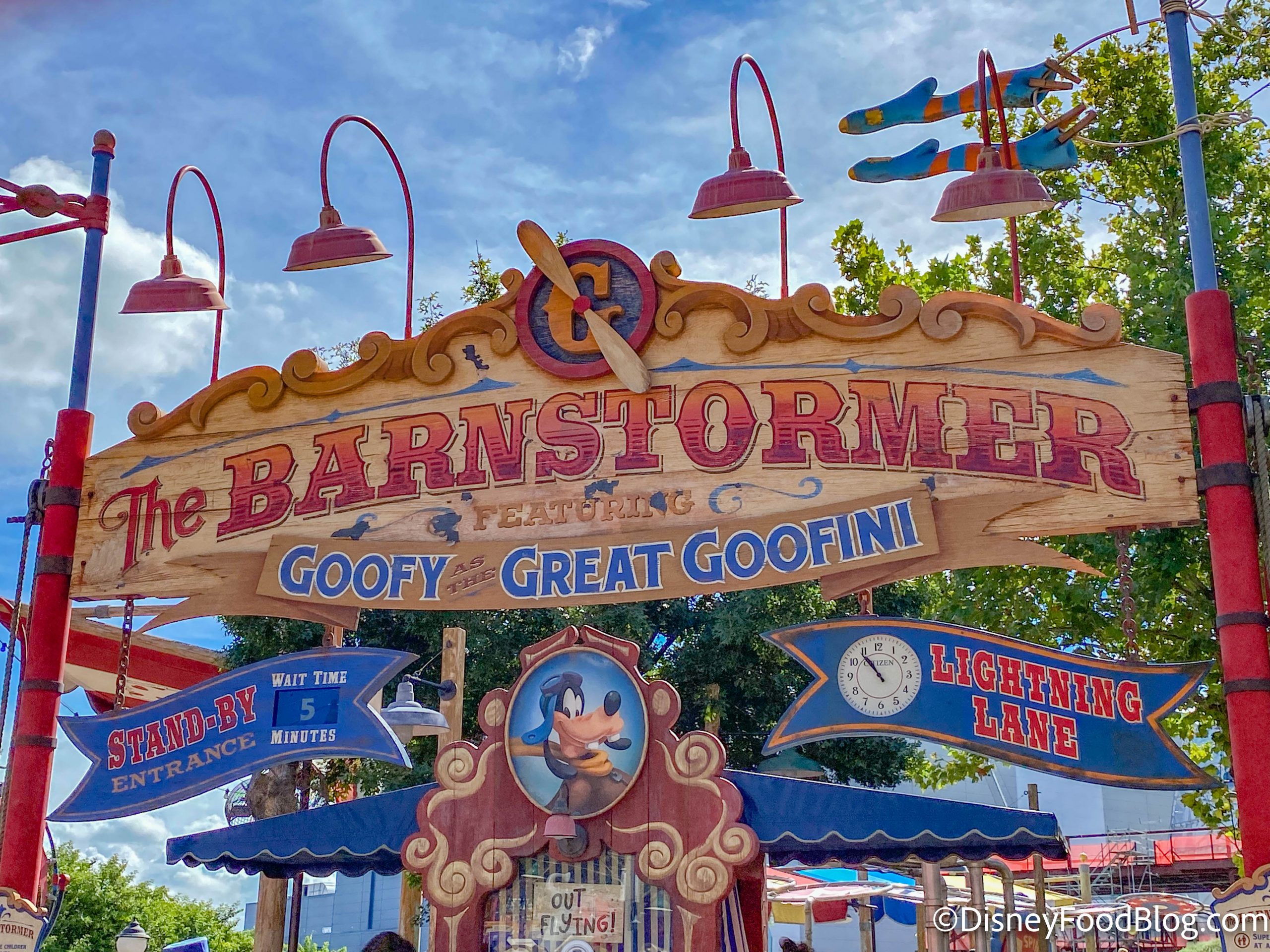
Lightning Lane in Magic Kingdom
You can only make 1 Genie+ Lightning Lane selection at a time throughout the day. There are some exceptions though.
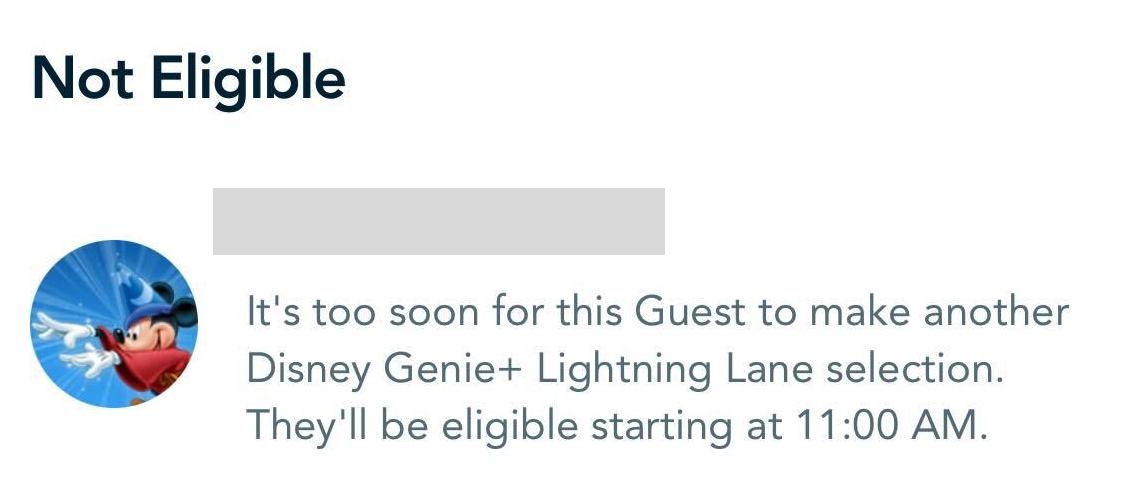
For example, one of our reporters was able to book a Genie+ selection for Slinky Dog Dash right at 7AM, but the return time was for 4-5PM. They then attempted to make a second Genie+ selection for an earlier time (since that 4-5PM return time is more than 2 hours away), but the app informed them that they would not be able to make that second selection until 11AM.
©Disney
Click here to read more about this rule and how it could impact your Genie+ choices.
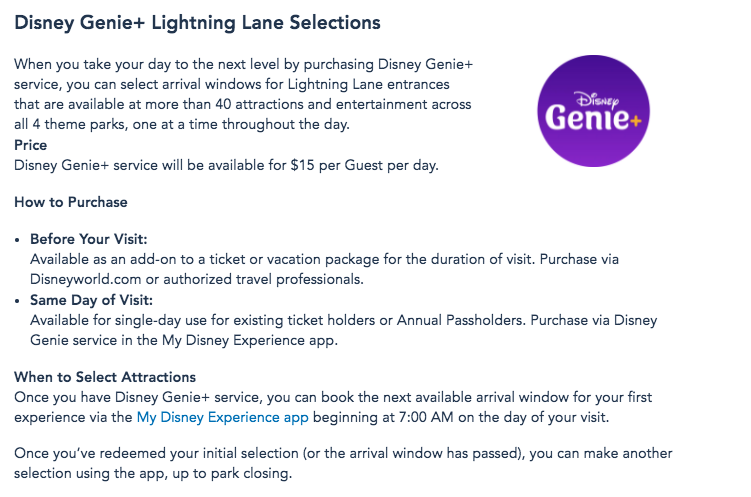
The most important thing to remember is that you can’t make Genie+ Lightning Lane selections until 7AM on the day of your visit.
Like all guests (as of June 8th), Annual Passholders can only buy Genie+ on the day of their visit.
©Disney
Genie+ includes access to the Lightning Lanes of over 40 rides in Disney World. But, don’t forget that select attractions only have Lightning Lane access through the Individual Attraction Selection (pay-per-ride) option, which doesn’t require guests to purchase Genie+.
Click here to see what rides you’ll have to pay EXTRA for in Disney World.
What if a ride you paid for is closed? We’ve got all the details you need right here. We’ll keep sharing our best Disney Genie tips and tricks, so stay tuned for more!
Here Are 5 Ways Disney Genie+ Will Surprise You.
Will you be using Disney Genie+ during your next Disney World trip? Let us know in the comments!














 Our handy (and portable!) ebook guides make sure you get the best deals and can plan a vacation of a lifetime.

The Genie seems to have no knowledge of all of my existing plans – dining and droid reservations. Do you have to import those separately??
Kelley, you shouldn’t have to. I expect this is a glitch (I’m having a similar issue myself).
The app says we don’t have valid admissions so can’t sign up for Genie+, yet I have documentation that I have tickets, park reservations, and have paid my account. We leave for Disney in 5 days and I can’t get anyone to answer a phone, return an email, or respond to a chat. What to do?
Had no problem with my Droid or lightsaber reservations, or even my dining reservations with Genie. My biggest question is how to add the Genie+ to tickets I’ve already purchased. I keep getting an error when I try as my trip isn’t for another month and a half.
Note, android users, you might have to search for My Disney experience app in Google play then update. When I originally launched the app and choose update in the app it didn’t take me to the correct app page in Google play and thus I could only open app. But when I manually searched for app in Google play and clicked update, it worked.
The best way to navigate Genie+ is to not navigate it. Boycott it and this nightmare will go away.
Hi, how do I purchase genie+ when I already have my tickets and vacation package already bought? Every link I’ve seen does not show you how to add it on to an existing park ticket.
I haven’t been able to add it to my entire upcoming trip. In the app, it tells me that I don’t have a valid park reservation/tickets. It looks as if it is trying to do a one-day addition, but I can’t get it to add a future reservation to my trip this weekend.
On the website, it only gives me the option of buying new tickets with the Genie+ option.
On both the website and the app, my park tickets and reservations are showing up correctly.
Laura, I had the same issue yesterday, but I didn’t pursue it past the error messages. I’d recommend calling Disney directly to see if they can add it or switch out your tickets to ones that have Genie+ without upsetting the rest of your plans.
Michelle, I also have not seen an option for this online or on the app. I think you’ll want to call Disney directly to request they add it to your Plans.
Justin, I hear you. It sounds like everyone had trouble with that. I would recommend calling Disney to see if they can do it for you from their end.
Sherry, that sounds frustrating! I would recommend trying to call (today may be better than yesterday since it’s day two of the service) or trying to chat again. Hopefully you will have an easier time getting through.
Do we think they may offer this with a hotel reservation in the future, like Universal does?
Lynn, no way to know at this point, but we will continue to report when we see something notable.
This whole thing is a nightmare and a cheap way to get more money from an already overpriced venue. It’s so sad; Walt would be crying!
You can’t add Genie+ to existing tickets and nowhere on the app does it tell you that. You also can’t get anybody at Disney to answer the phone or respond to an email or chat. We decided not to add it after we got to the parks and found that the standby lines were not that bad. It’s a huge added expense for a family on top of already expensive tickets. Don’t do it! Bad move, Disney.
December 6th, and it is STILL having the same problems people complained about since October. Step #6 doesn’t happen when I try to add Genie+. Instead, it shoots me over to the Tickets and passes screen where all I can do is reassign my park ticket to someone else.
Don’t use it. Rip off
If you go through a travel agent this does not work. It forces them to have to book this which doesn’t make sense. I called and they told me the same thing. I don’t have the option to purchase.
Terry, our understanding is that a travel agent is the one who would add Genie+ to length-of-stay pre-arrival. But when you are onsite, you should be able to purchase Genie+ day-to-day in My Disney Experience as long as you’ve linked your trip in the system.
I hate to break to people here, but Genie + isn’t going to go away. The use of MDE for skipping the lines already existed in WDW under FP+. Genie+ is basically changing FP+ to MaxPass like they had in Disneyland. It’s already being used by a third of guests on any given day.
What we’re not seeing is long LL queues that also increase standby waits like we saw under FP+. So far, it looks to be a more balance system. In fact, if there’s been any real problem with Genie+ is that Disney seems to be holding back on the number of FP reservations they are making available to guests on any given day, and they’ve been “selling out” too much.
It’s not a rip off because if you don’t think $15 a person/a day is too much to be able to skip the lines at most attractions, then you don’t have to pay it. Yes, it was a free. But it also meant most FPs were gone on the most popular rides 60 days out. Nonresort guests had no opportunity to get a FP for those rides. Nor could resort guests who weren’t well versed and knew about the 60 day window. Will there be modifications to Genie +? Most likely. But this idea that people aren’t going to use it and it will just go away and we will return to a FP+ system that benefited very few people at the expense of everyone else is not going to happen.
Hi there! I’m trying to book using the steps that you have listed here (thank you for posting with screen shots) but It doesn’t give me an option to buy for just one day and seems to instead direct me to buy Genie Plus for all of the days we will be in the parks. Is this because I’m trying to use it too far out? Our park time starts on the 5th of January so I wasn’t sure if maybe I’m just trying to do things too early. Feeling a little anxious about using this feature 😅
Anne, if you buy Genie+ ahead of your arrival, it will only allow for trip-length reservations. To buy single day, you have to purchase day-of.
Can we purchase Genie+ in the app or will it redirect you to the mobile website? I tried checking today for an upcoming trip I have and the prices appear to be increased just from trying to purchase ahead of time. It looks like it’s more expensive if you want park hopper, but I thought genie+ was per day, not per park…
I don’t mind purchasing day of, but how can I make the transaction as quick as possible?
Stephanie, you can purchase on the day-of in the app. If you want to purchase it ahead of time, it will default to your length-of-stay. Still, it should only be $15 per day, so you may want to contact Disney if you’re seeing different pricing.